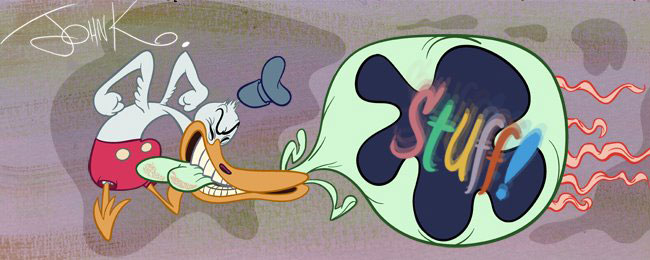

I love it when people do the lessons and get something out of it. Sometimes I get something out of it too, like this nice inked drawing by Alberto that I can add to my model sheets.His Ink has retained the style of Jim's drawing, the curves and angles, and best of all a good control of the hierarchy of thick and thin lines.
Hey Alberto, can you post the first version, so I can show the before and after with my comments? It will help others who are into absorbing the fruits of cartoon knowledge.
Here's what he did before, so I gave him some notes and he did the one on top.
Obedience is a prelude to skill!
the notes are here:
http://likeanatombomb.blogspot.com/


16 comments:
Many thanks John! I feel so motivated.
Here's the link
Thanks again!
Nice job inking! A well-drawn pencil can be finished in such a way that it is seamless with the other representations of the character.
Do most of you ink with a brush or computer?
Hello John I'm guessing this is the best way to get in touch with you...I would like your help and criticism. I recently graduated from Sheridan College, and feel I'm an ok artist, but just ok. I want to improve and need to know what I'm doing wrong and what I'm doing right. I have a lot of trouble with the fundamentals. I own loads of cartoon DVDs and books (including Preston Blair's book and the Illusion of Life) I just don't know where specifically I should be focusing my attention towards. Also I want to do your tests for advice but don't know how to get them to you. I've been a long time fan and I think you can help me become a better artist.
Any help is greatly appreciated.
Thanks!
-ko
P.S. The line work is pretty awesome!
-ko
Thank you, I inked this in Flash CS3 with a wacom intuos 3 tablet because I couldn't print and ink on paper.
Wow! That's pretty damn good for flash inking.
What brush settings did you use?
Oops, I really don't know, I guess default settings...
I pressed the pressure and tilt buttons below the tools, then I ink and correct the bumps with the black arrow(selection tool) and the snap(the magnet) selected, and to correct the thin lines I used the ink bottle tool (s) to make the lines thicker then I converted those pencil lines to shapes and corrected the bumps again.
But my brother showed me a new tool in Illustrator CS4 where the brush feels much better, I'll try some inks that way.
Excuse my horrible english.
Do you have posts about line work hiearchies? I know shape hiearchies to a certain degree, but then there's line ones. Oy vey, that's subtle.
Excellent inks Alberto! I learned a bit from this post John, thanks.
In Flash?!? Wow. Very nice ink job. Looks great!
Flash has a way of making lines crooked, and even though Alberto's done a great job, the Flash effects still show.
Hello John,
I put one more inking.
Thank you.
Here's the link:
link
Here's the corrected version John, thanks for your kindness.
Hey John,
I gave inking a shot:
link. Thanks for taking a peek.
Post a Comment